

I’ve been making games on the web for years—from my 17-year-old Breakout clone to comparing game development approaches with SDL, Godot, and pure web tech. But I wanted to go deeper. Much deeper.
So I built a game engine from scratch in modern C++.
Should I have started with “Hello World”? Probably. Did I? Absolutely not. 🎮
🎯 Why Build Yet Another Game Engine?
Fair question. We have Unity, Unreal, Godot, and countless others. But I had specific goals:
Learn Modern C++: Not the C++ from the early 2000s, but C++17/20 with RAII patterns, smart pointers, and proper memory safety. Building a game engine forces you to think deeply about memory management, ownership, and performance.
Understand Graphics Programming: High-level engines abstract away the graphics pipeline. I wanted to understand what’s actually happening when you render a frame—vertex buffers, shader compilation, the whole pipeline.
Future-Proof Architecture: Start with OpenGL 3.3 Core but design for a migration path to Vulkan. This means thinking about abstraction layers and renderer backends from day one.
Cross-Platform from the Start: macOS, Linux, and Windows support isn’t an afterthought—it’s built into the architecture with CMake and proper dependency management.
🏗️ Architecture Overview
Entity-Component-System (ECS)
I chose an ECS architecture because it’s flexible and cache-friendly:
- Entities: Lightweight ID-based handles
- Components: Plain data structures (position, velocity, sprite, etc.)
- Systems: Pure functions that operate on component data
- Memory: Contiguous storage for cache efficiency
This approach makes it easy to add new game object types without inheritance hierarchies or tight coupling.
System Architecture
The engine is built with clear separation of concerns:
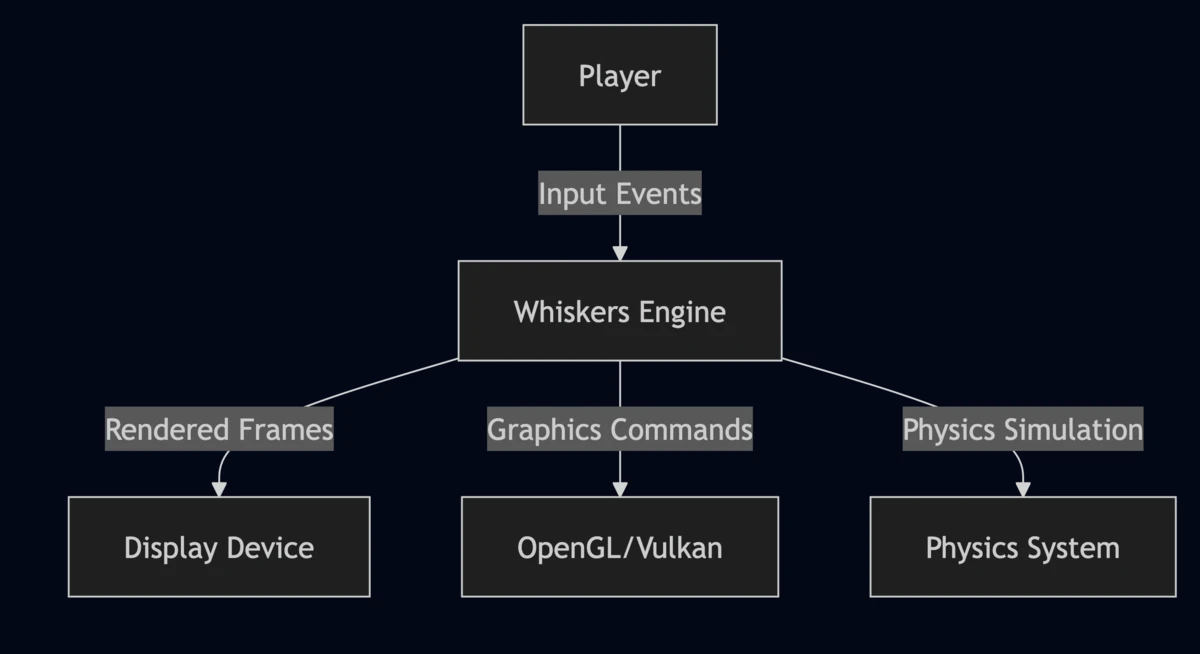
Player input flows through the engine core, which manages the game loop, physics simulation, and rendering pipeline. The abstract renderer interface supports multiple graphics backends.
Core Components
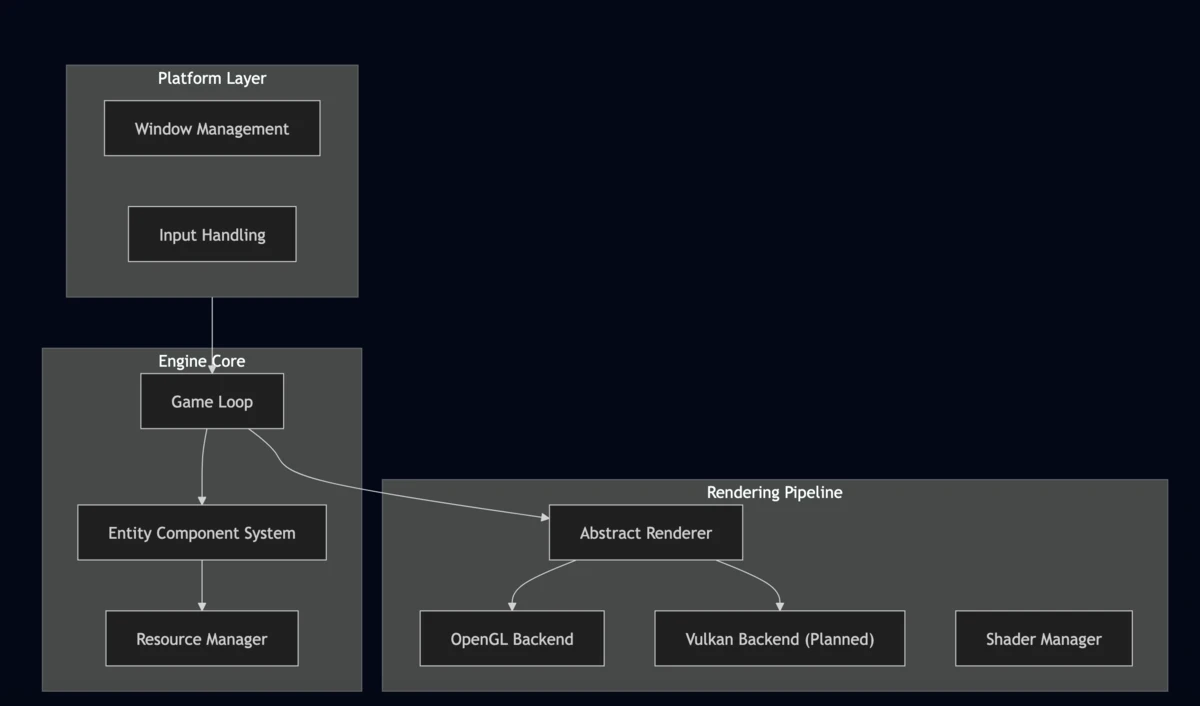
The architecture separates platform-specific code (window management, input) from the engine core (ECS, game loop) and rendering pipeline. This design makes it straightforward to add new rendering backends.
Current: OpenGL 3.3 Core with VAOs/VBOs, GLSL 330 shaders, and STB-based texture loading with automatic mipmaps.
Future: Vulkan backend for explicit GPU control, compute shaders, and multi-threaded command buffer recording.
The abstract renderer interface means game code doesn’t care which backend is active—you can swap them at runtime (eventually).
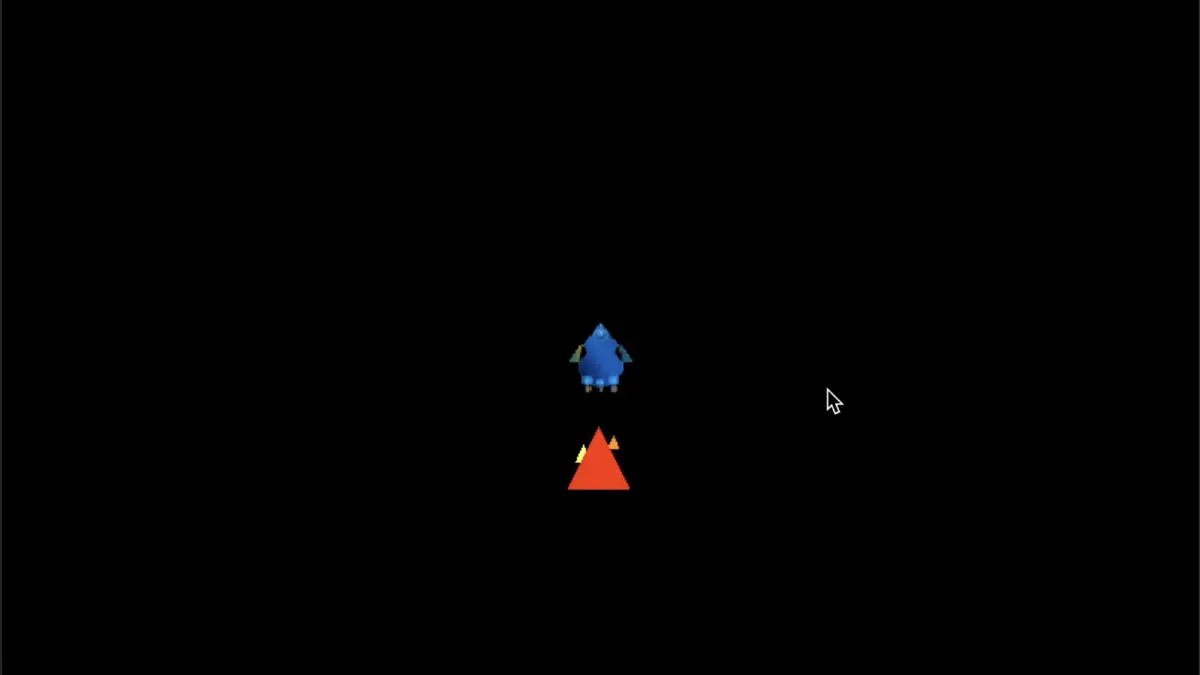
🎮 The Demo: A Space Shooter
Rather than making a rotating cube (boring!), I built a simple space shooter demo:
Features:
- Player-controlled spaceship with keyboard input
- Basic physics (velocity, acceleration)
- Sprite rendering with textures
- Simple game loop with fixed timestep
It’s minimal, but it demonstrates the core engine capabilities: input handling, rendering, physics simulation, and resource management.
🛠️ Technical Decisions
Memory Management
Modern C++ makes memory safety much easier:
// Smart pointers everywhere
std::unique_ptr<Renderer> renderer;
std::shared_ptr<Texture> texture;

// RAII for resource cleanup
class ShaderProgram {
public:
    ShaderProgram(const char* vs, const char* fs);
    ~ShaderProgram() { glDeleteProgram(programId); }
    // Delete copy, allow move
    ShaderProgram(const ShaderProgram&) = delete;
    ShaderProgram(ShaderProgram&&) = default;
};
No manual new/delete, no memory leaks, automatic cleanup. The compiler handles ownership semantics.
Cross-Platform Build System
CMake handles the complexity of building across platforms:
- macOS: Homebrew dependencies (
sdl2,glm,glfw) - Linux: APT packages with proper dev headers
- Windows: vcpkg for dependency management
GitHub Actions runs CI builds on all three platforms to catch platform-specific issues early.
Shader Management
Shaders are loaded at runtime and automatically compiled:
auto shader = ShaderManager::Load("vertex.glsl", "fragment.glsl");
shader->Use();
shader->SetUniform("projection", projectionMatrix);
shader->SetUniform("view", viewMatrix);
Error checking happens automatically with clear error messages when compilation fails.
📊 Performance Considerations
Why OpenGL First?
Vulkan gives you explicit control, but OpenGL is simpler to start with:
- Faster iteration during development
- Better debugging tools (RenderDoc, Nsight)
- Mature driver support across all platforms
Once the architecture is solid, adding Vulkan becomes a backend implementation detail.
ECS Cache Efficiency
Components are stored contiguously in memory:
Traditional OOP: Object → Object → Object (cache misses)
ECS: [Pos,Pos,Pos...] [Vel,Vel,Vel...] (cache friendly)
Systems iterate over packed arrays of components, keeping the CPU cache hot.
🚀 What’s Next
The roadmap is ambitious:
Short-term:
- Complete Vulkan backend implementation
- Add more demo games (platformer, top-down shooter)
- Improve resource management and asset pipeline
Medium-term:
- Compute shader support for particles/physics
- Multi-threaded rendering
- Memory pool optimization
- Audio system integration
Long-term:
- AI-driven procedural content generation
- Neural network integration (ONNX runtime)
- Advanced lighting (PBR, ray tracing)
- Formal verification of critical systems
🎓 Lessons Learned
Start Simple, Iterate: I began with a single triangle on screen. Then added textures. Then sprites. Then movement. Each step was a working, testable increment.
Abstraction Has a Cost: Every abstraction layer adds complexity. I only add abstractions when I need them (like the renderer backend split).
Cross-Platform is Harder Than You Think: File paths, line endings, compiler differences—there are platform quirks everywhere. CI catches most of them.
Modern C++ is Actually Nice: With RAII, smart pointers, and move semantics, C++ feels almost like a high-level language while maintaining full control.
🔗 Try It Yourself
The engine is open source and ready to build:
Repository: https://github.com/rhelmer/whiskers-engine
Quick Start:
# macOS
brew install sdl2 glm glfw cmake

# Clone and build
git clone https://github.com/rhelmer/whiskers-engine
cd whiskers-engine
mkdir build && cd build
cmake ..
make -j$(nproc)
./whiskers_demo
Full build instructions for Linux and Windows are in the README.
💭 Your Thoughts?
Have you built a game engine or worked with ECS architectures? What would you add to the roadmap? I’d love to hear about your experiences with graphics programming or modern C++.
And if you’re curious about specific implementation details—shader management, the ECS design, cross-platform builds—let me know. I’m considering writing deeper technical posts about each subsystem.