
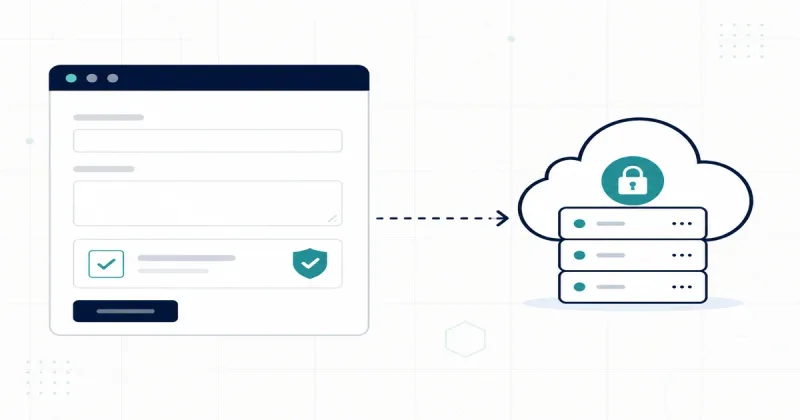

I finally put Cloudflare Turnstile in front of the newsletter form on this site. The UI is Astro; the submit endpoint is a Cloudflare Worker. The important part is that the Worker verifies the token, because the widget alone is not protection.
Why bother
My newsletter endpoint is a public URL that writes to a database. Before this change, anything that could send a POST could create a subscriber. That is a problem for a few concrete reasons:
- Spam and junk signups. Bots scrape forms and submit garbage or other people’s addresses. That pollutes the list, skews signup analytics, and can get real mail flagged.
- Cost and abuse. Every accepted signup triggers work: encryption, a database write, and a welcome email. An unprotected endpoint lets someone run that loop as fast as they like, which burns quota and can be used to mailbomb a victim by signing them up repeatedly.
- Privacy. This list stores encrypted subscriber emails. The less junk and abuse that reaches the storage path, the smaller the blast radius if anything ever goes wrong.
Turnstile is a privacy-preserving alternative to CAPTCHA: it does not make users solve puzzles and it does not build an ad-tracking profile, which fits the rest of this site. But a challenge widget on the page is only decoration unless the server refuses to act on submissions that fail verification. That is why the token check lives in the Worker, with an origin allowlist and rate limiting as backup layers. The client widget improves UX; the Worker is what actually enforces the rule.
At a glance
- What this is: A short setup checklist for Turnstile on a static Astro site that posts to a Worker.
- What you need: A Turnstile widget, a public site key at build time, a secret on the Worker, and a deploy order that does not break production.
- Noise to ignore: A
401on/cdn-cgi/challenge-platform/.../pat/...is expected Private Access Token fallback, not a misconfiguration.
1. Create the widget
In the Cloudflare dashboard → Turnstile:
- Create a widget (Managed is fine).
- Allowlist hostnames you will serve the form from (
example.com,www.example.com; addlocalhostif you test locally). - Copy the site key and secret key.
2. Render the widget in Astro
Bake the site key into the static HTML. Fail closed in production if it is missing.
---
const turnstileSiteKey =
  import.meta.env.PUBLIC_TURNSTILE_SITE_KEY ||
  (import.meta.env.DEV ? "1x00000000000000000000AA" : "");
---

<form method="POST" data-endpoint="https://subscribe.example.com">
  <input type="email" name="email" required />
  {
    turnstileSiteKey ? (
      <div
        class="cf-turnstile"
        data-sitekey={turnstileSiteKey}
        data-theme="auto"
        data-size="flexible"
        data-action="newsletter-subscribe"
      />
    ) : (
      <p>Newsletter signup is temporarily unavailable.</p>
    )
  }
  <button type="submit">Subscribe</button>
</form>

{turnstileSiteKey && (
  <script
    is:inline
    src="https://challenges.cloudflare.com/turnstile/v0/api.js"
    async
    defer
  />
)}
On submit, send FormData (including the hidden cf-turnstile-response field Turnstile injects) to your Worker with fetch.
If you build in GitHub Actions and deploy dist with Wrangler, as I do for this site’s stack, set the key on the build step:
- name: Build with Astro
  env:
    PUBLIC_TURNSTILE_SITE_KEY: ${{ secrets.PUBLIC_TURNSTILE_SITE_KEY }}
  run: pnpm run build
Cloudflare Pages project env vars do not help if CI builds the site before pages deploy.
3. Verify the token in the Worker
Store the secret on the Worker (never in the frontend):
wrangler secret put TURNSTILE_SECRET_KEY --config wrangler.newsletter.toml
Then reject anything that fails siteverify:
async function verifyTurnstile(
  token: FormDataEntryValue | null,
  remoteip: string | null,
  secret: string,
): Promise<void> {
  if (!secret) throw new Error("Server misconfigured");
  if (typeof token !== "string" || !token) {
    throw new Error("Turnstile verification required");
  }

  const response = await fetch(
    "https://challenges.cloudflare.com/turnstile/v0/siteverify",
    {
      method: "POST",
      headers: { "Content-Type": "application/json" },
      body: JSON.stringify({
        secret,
        response: token,
        ...(remoteip ? { remoteip } : {}),
      }),
    },
  );

  const result = (await response.json()) as {
    success: boolean;
    action?: string;
    hostname?: string;
  };

  if (!result.success) throw new Error("Turnstile verification failed");
  if (result.action && result.action !== "newsletter-subscribe") {
    throw new Error("Turnstile verification failed");
  }
}
I also allowlist Origin / Referer to my site hostnames and rate-limit by hashed CF-Connecting-IP. Those are extra layers; Turnstile covers non-browser clients that skip CORS.
4. Deploy in a safe order
- Set
PUBLIC_TURNSTILE_SITE_KEYin CI (and the Worker secret). - Deploy the site so the form actually has a widget.
- Deploy the Worker that requires a valid token.
Worker-first without a widget rejects every real signup. Site-first without Worker verification leaves the endpoint open until you catch up.
wrangler deploy --config wrangler.newsletter.toml
5. Smoke-test the endpoint
Direct POSTs without a real token should fail:
# Expect 400: Turnstile verification required
curl -sS -X POST https://subscribe.example.com/ \
  -H "Origin: https://www.example.com" \
  -F "email=test@example.com"

# Expect 400: Turnstile verification failed
curl -sS -X POST https://subscribe.example.com/ \
  -H "Origin: https://www.example.com" \
  -F "email=test@example.com" \
  -F "cf-turnstile-response=bogus"
Then submit once from a real browser and confirm a new row (or an idempotent success if that email already exists).
DevTools noise
A 401 on challenges.cloudflare.com/.../pat/... is normal when the browser cannot issue a Private Access Token. Cloudflare falls back to the standard challenge. Ignore it if the widget completes and siteverify succeeds.
Automated browsers (navigator.webdriver === true) often hit Turnstile client error 600010. That is an automation artifact, not proof your keys are wrong.
What shipped here
On rhelmer.org the signup form now loads Turnstile when PUBLIC_TURNSTILE_SITE_KEY is present, and subscribe.rhelmer.org rejects missing or invalid tokens before encrypting and storing the address. Same pattern works for any Astro form that posts to a Worker.